
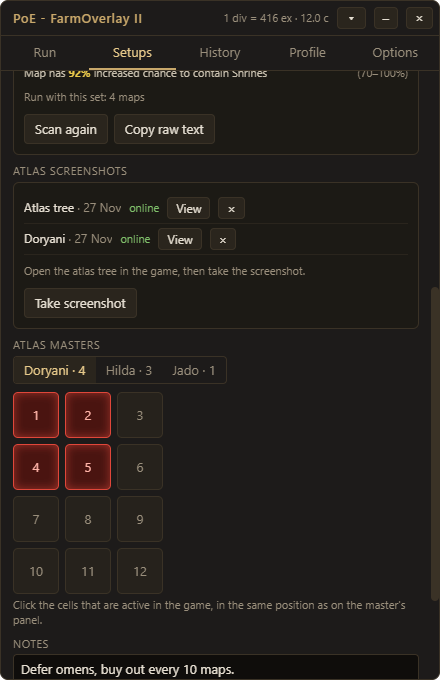
1Build your setup
Scan your tablets with Ctrl+C, click the active cells of your atlas masters, add a screenshot of your atlas tree and keep your notes. Everything about a strategy lives in one place.
Overlay for Path of Exile 2 · Windows
FarmOverlay keeps your whole setup in one place, tracks your maps on its own and turns your loot into Divine per hour, for every strategy you run.
Reads the game's log file and what you copy with Ctrl+C, and takes a screenshot only when you ask for one.
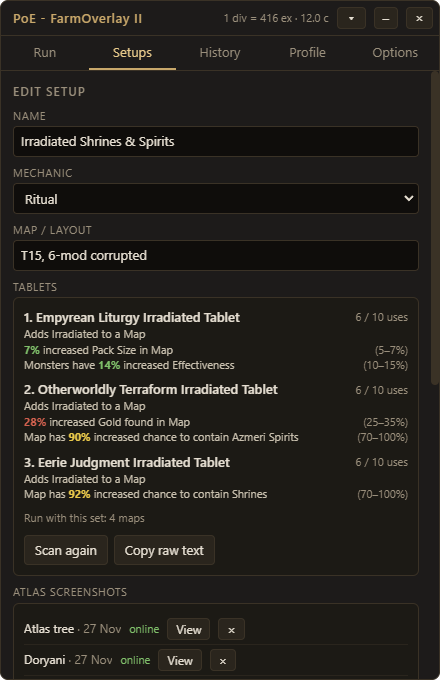
Scan your tablets with Ctrl+C, click the active cells of your atlas masters, add a screenshot of your atlas tree and keep your notes. Everything about a strategy lives in one place.
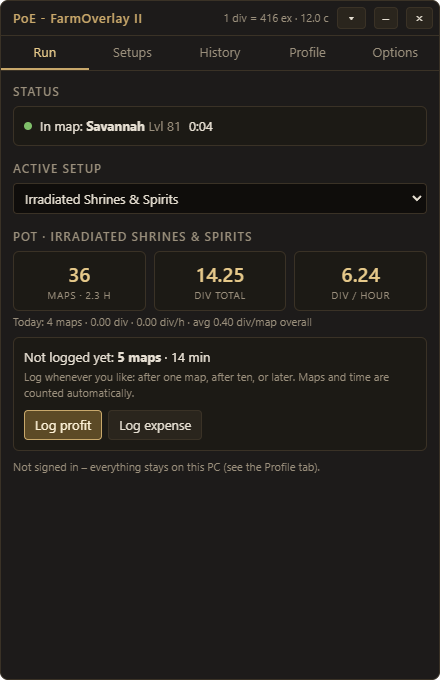
Maps and time are counted for you, with a map timer that pauses in your hideout. A map is done as soon as you open the next one.
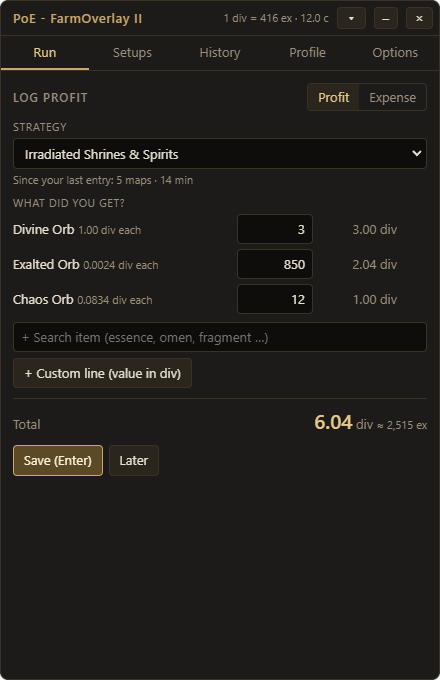
After one map, after ten, or at the end of the night. Type quantities, the overlay values them with daily prices and converts everything to Divine.
Some strategies pay inside the map. Others pay later: omens you buy out afterwards, resources you spend in a tree, items you sell the next day. Per-map tracking gets those wrong.
FarmOverlay keeps one pot per strategy instead. Every map adds time, every entry adds value, whenever it arrives. Forgetting to log after a map breaks nothing, you just log later.
| # | Player | Strategy | Div / h | Maps |
|---|
Map time is measured by the server and entries are valued with its own prices. Players choose per strategy whether tablets, atlas and modifiers are shown or hidden.
Only the log file Client.txt, to see when you enter a map or your hideout, and the clipboard after you press Ctrl+C on a tablet. An atlas screenshot is only taken when you press its hotkey, and you can crop it before saving. It does not read game memory and does not change or automate anything in the game.
Use windowed fullscreen. In exclusive fullscreen the game covers every overlay.
Your strategies with their tablets, atlas masters and atlas screenshots, when each map started and ended, and the entries you log. Without signing in, everything stays on your PC and you do not appear on the leaderboard.
Yes. Mark a setup as hidden and the leaderboard shows your Divine per hour without name, mechanic, map, tablets, atlas or modifiers.
Time cannot be invented, because the server measures it. Loot is reported by players, so new strategies need 30 maps on 3 different days, unusually high values are held back until checked, and checked strategies carry a verified badge.